# 【AD】【列舉】BooldHound
BoooldHound(BloodHound)是一個用於Active Directory(AD)環境的安全分析和攻擊模擬工具。它旨在幫助安全專業人員、紅隊人員和藍隊人員更好地理解和評估AD環境中的安全風險,尤其是針對橫向移動和權限提升的風險。
[https://github.com/BloodHoundAD/BloodHound](https://github.com/BloodHoundAD/BloodHound)
```shell
# 安裝
sudo apt install -y bloodhound
# 啟動圖形化資料庫
sudo neo4j start
Started neo4j (pid:70263). It is available at http://localhost:7474
There may be a short delay until the server is ready.
#修改密碼 -> firefox 開啟 https://localhost:7474
```
username / password => neo4j
[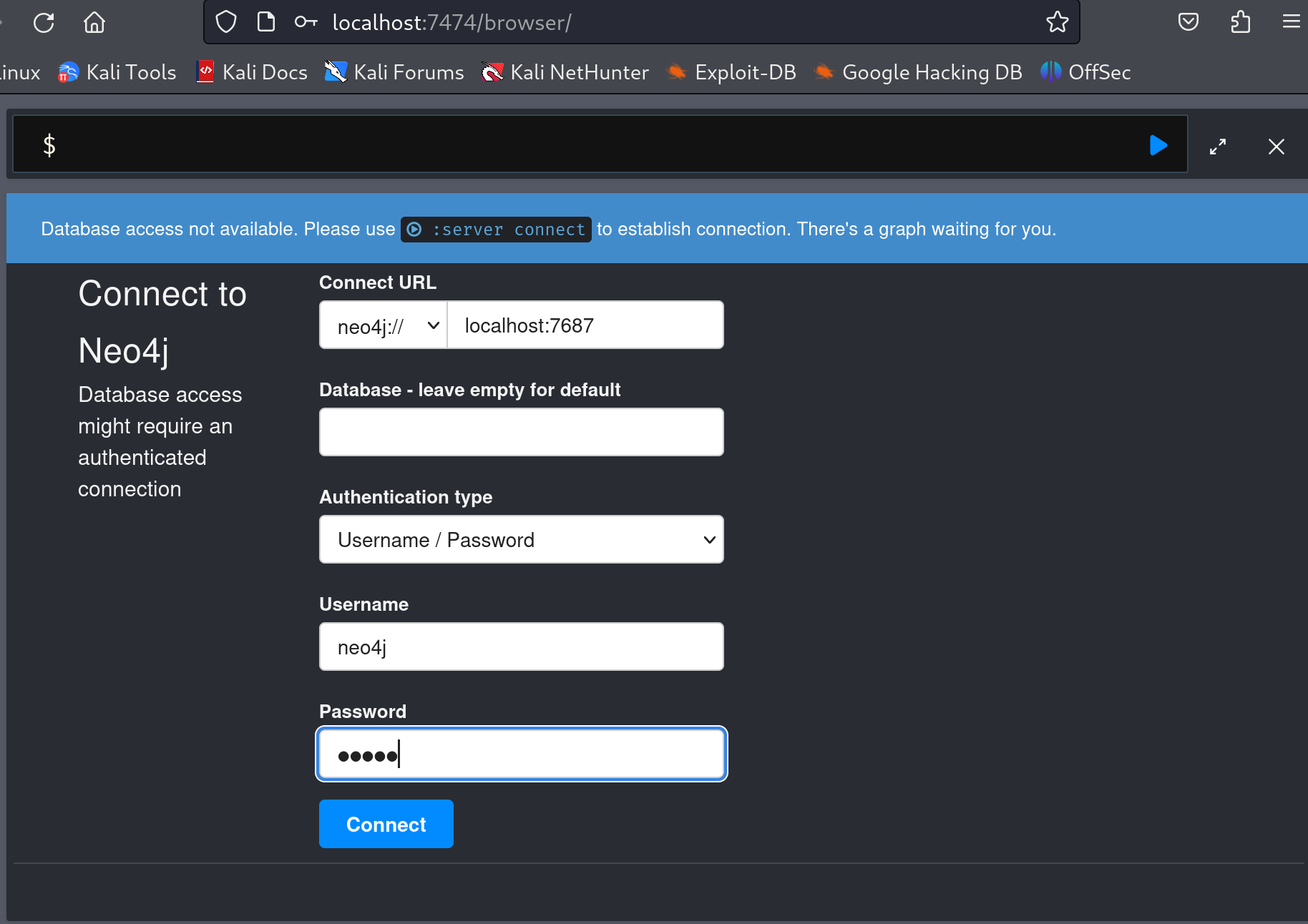](https://bookstack.treemanou.com/uploads/images/gallery/2023-12/qqBo12OIw0p8BEJB-image-1702194936048.png)
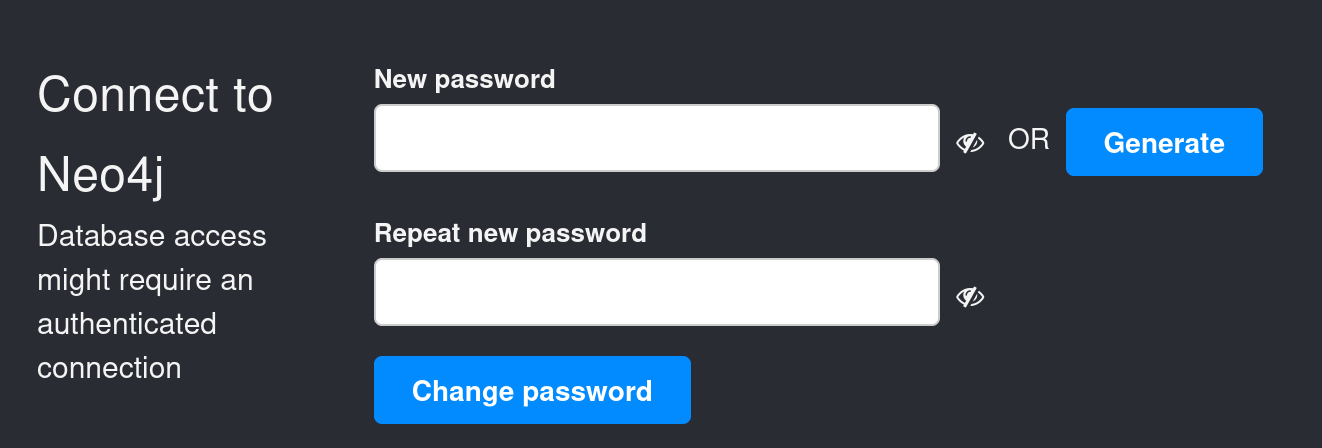
修改密碼
[](https://bookstack.treemanou.com/uploads/images/gallery/2023-12/ADVqUODBcQiNnNcz-image-1702194971848.png)
```shell
# shell 輸入bloodhound
bloodhound
#填入帳密 neo4j / {修改後的密碼}
```
[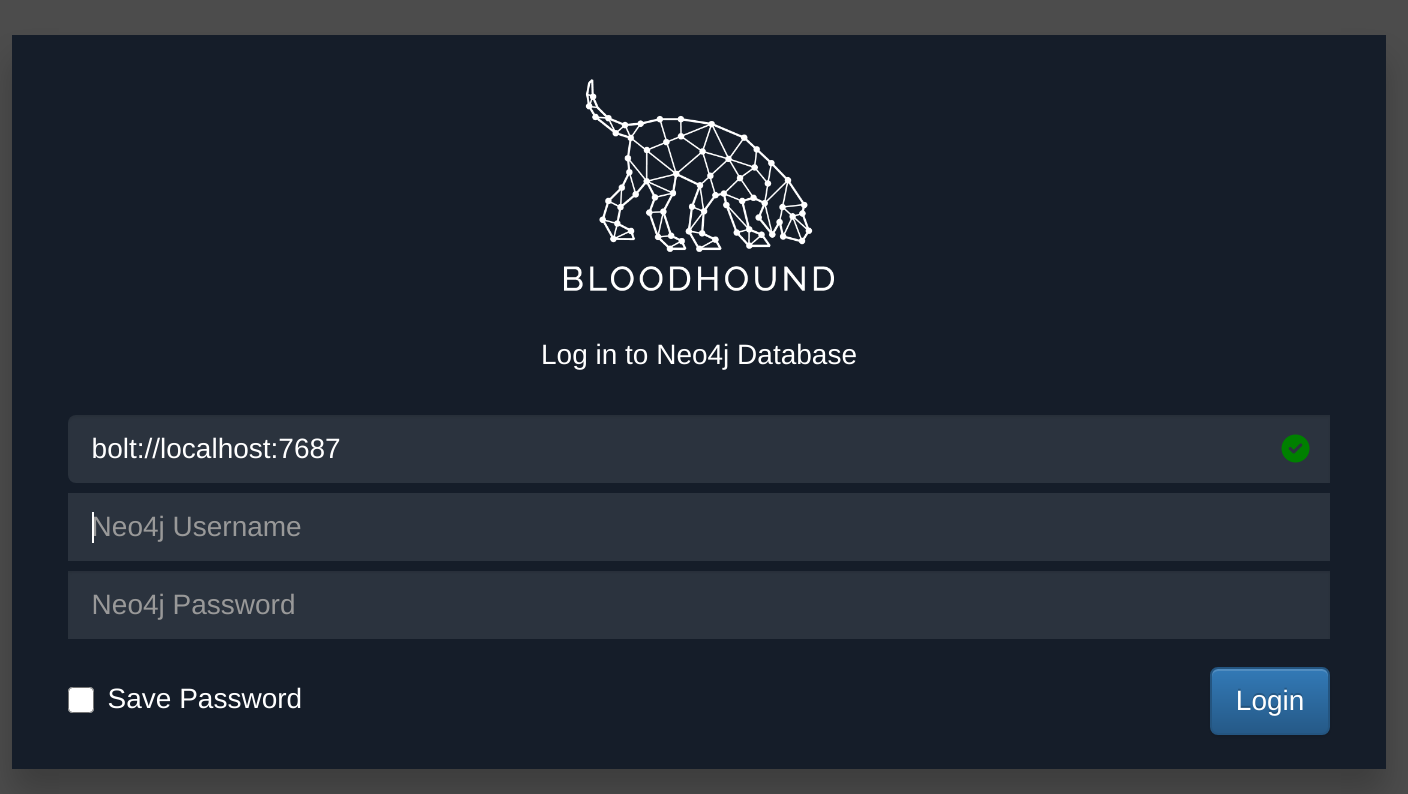](https://bookstack.treemanou.com/uploads/images/gallery/2023-12/kmURibQLaf67Owb2-image-1702195251120.png)
使用 SharpHound 搜集資料 [https://bookstack.treemanou.com/books/treemanoscp/page/adsharphound](https://bookstack.treemanou.com/books/treemanoscp/page/adsharphound)
```Powershell
Invoke-BloodHound -CollectionMethod All -OutputDirectory C:\tools\ -OutputPrefix "corp_audit"
```
---
或是使用 Bloodhound.py
```shell
# kali install
sudo apt install -y bloodhound.py
# 使用
bloodhound-python -u {username} -p {password} -c all -d corp.com -ns 192.168.210.70
```
---
上傳分析資料
[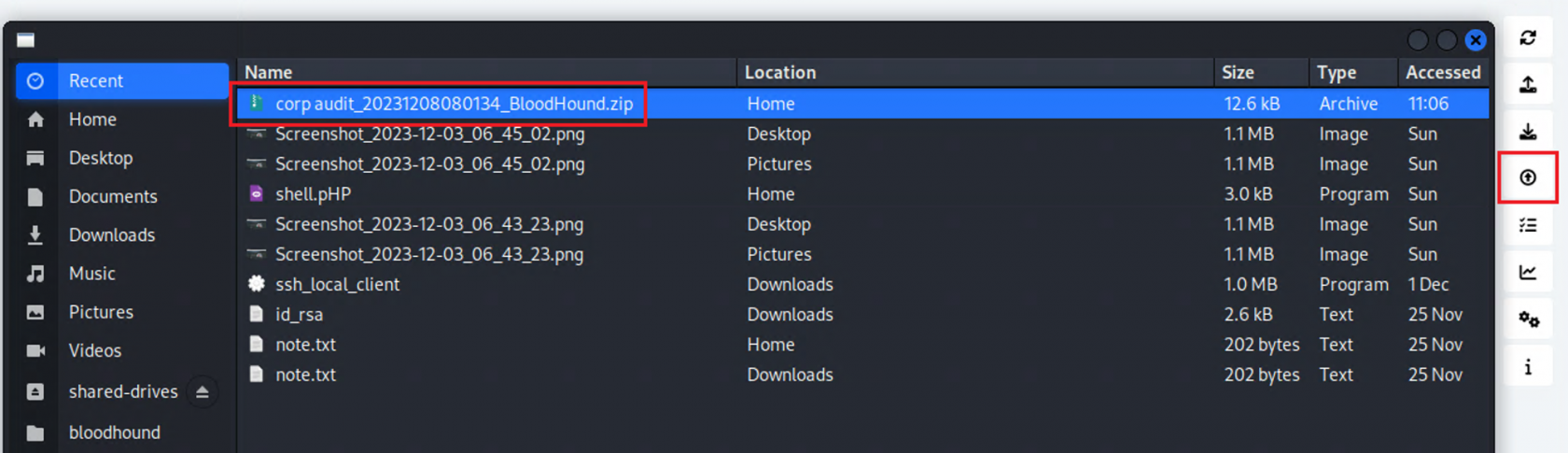](https://bookstack.treemanou.com/uploads/images/gallery/2024-02/rb2nQ8BuKY5CExwS-image-1706938443694.png)
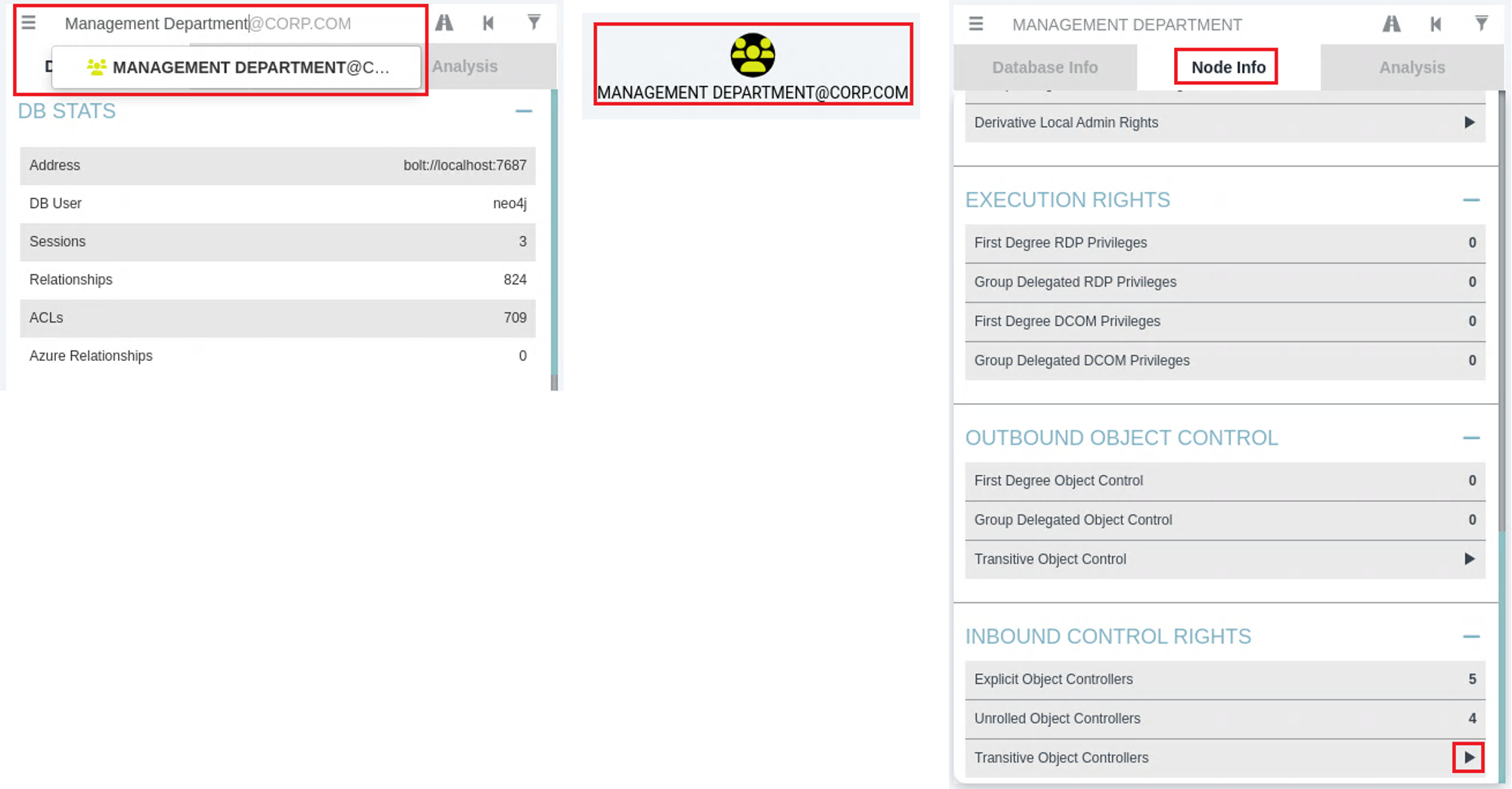
先在左上框框搜尋Management Department,然後出現畫面會出現節點,點選節點後,Node Info頁籤會出現東西,拉至最底下 Transitive Object Controllers 旁邊的箭頭,點下去。
[](https://bookstack.treemanou.com/uploads/images/gallery/2024-02/kxZWMIeHeZOmDMTu-image-1706939877356.png)
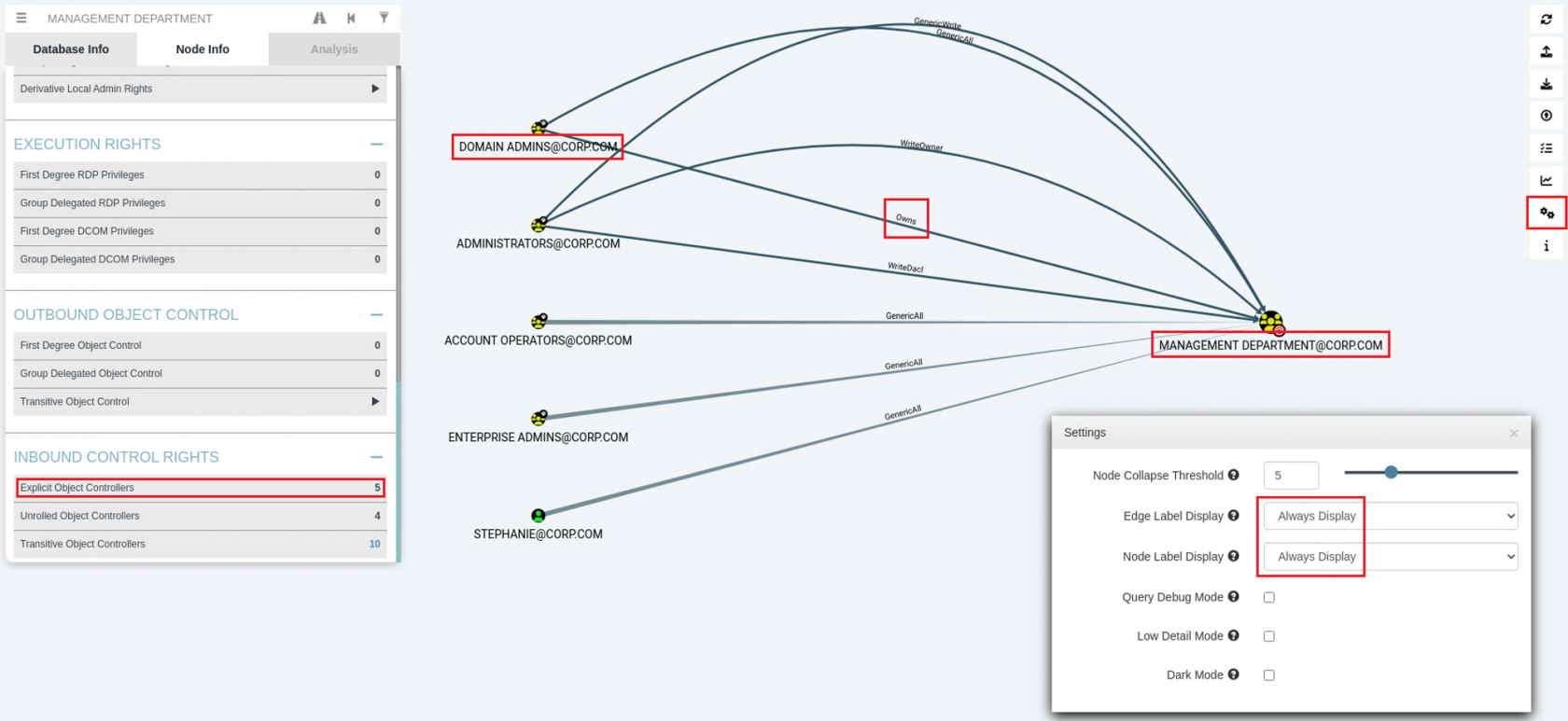
然後右邊功能設定,都先設定Always Display,Node Info頁籤點選Explicit Object Controllers,就會出現以下圖表,其中找到Owns的線所對應的就是答案DOMAIN ADMINS。
[](https://bookstack.treemanou.com/uploads/images/gallery/2024-02/XPmioQxhC0GrYjHf-image-1706939793460.png)