# 【AD】【列舉】Get-Acl
我們將使用PowerShell的Get-Acl cmdlet。這個命令本質上將檢索我們使用 -Path 標誌定義的對象的權限並將它們打印在我們的PowerShell提示中。
```Powershell
PS C:\Tools> Get-Acl -Path HKLM:SYSTEM\CurrentControlSet\Services\LanmanServer\DefaultSecurity\ | fl
```
[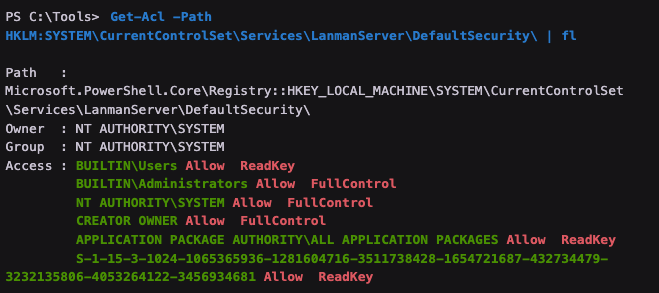](https://bookstack.treemanou.com/uploads/images/gallery/2023-12/Jk8TtTpWlIu7NpOZ-image-1702296466763.png)
在清單中突出顯示的輸出顯示了擁有FullControl或ReadKey權限的組和用戶,這意味著它們都可以讀取SrvsvcSessionInfo密鑰本身。